A few weeks ago I found a TikTok video by Ximena del Carpio, co-founder of Sorprende Lima, recommending that small businesses edit their product photos with ChatGPT, and it happened to match a similar system I had been implementing at the company where I work. So I left a comment. It said, more or less: asking ChatGPT to edit an image with a prompt is just the beginning; the next step is building an automation that does it for you.
Almost a month has passed and the comment keeps getting likes. Two people asked how. This article is the long answer, and it is a system you can build with whatever tools you prefer.
The real problem
If you sell physical products, you produce photos nonstop: new product, colors, styles, marketplaces that ask for yet another format. Editing them one by one in ChatGPT works for five photos. At fifty a week, the person editing them becomes the bottleneck, tab open, copying and pasting.
The question that changes the game is not “which prompt should I use”. It is: how do I make this work without me?
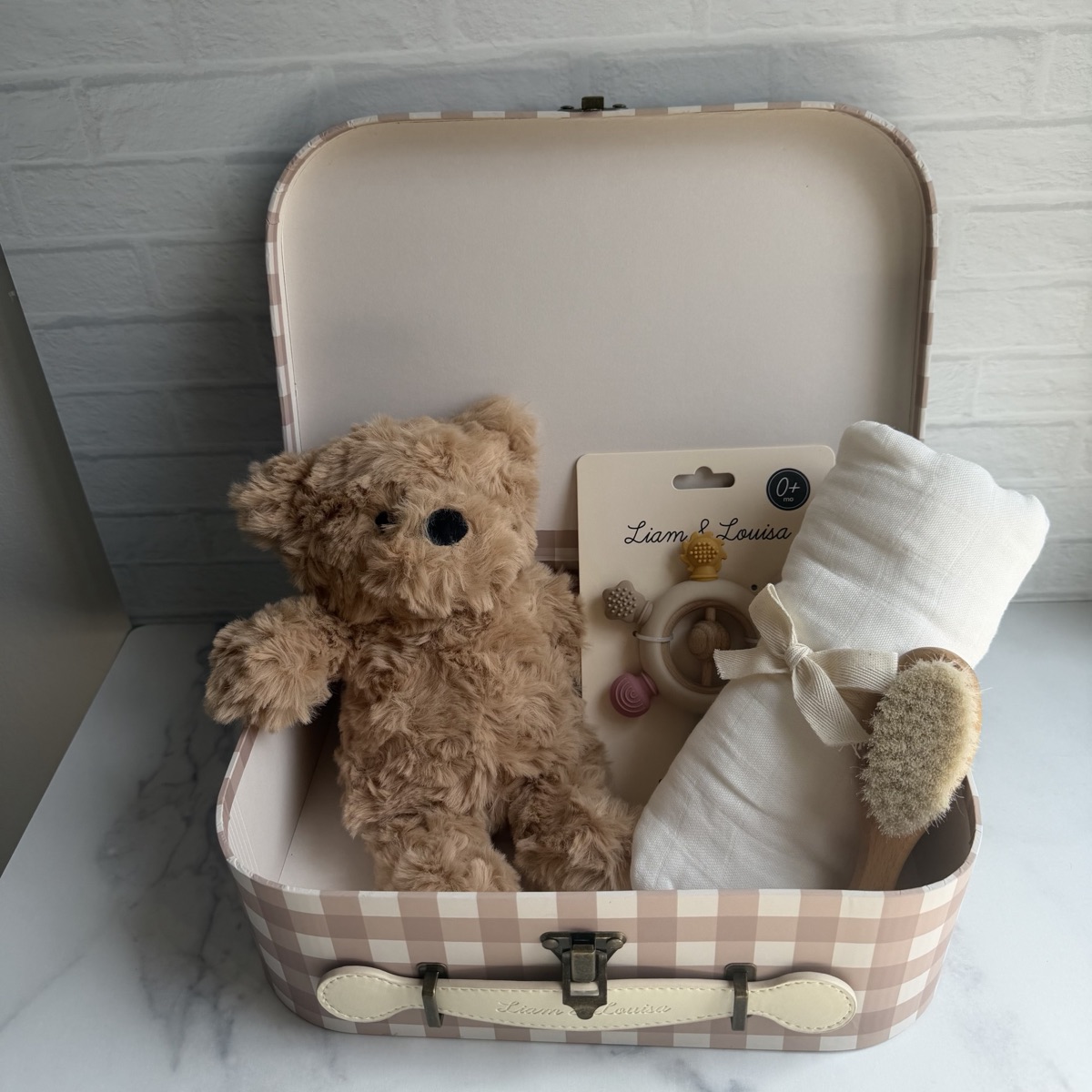
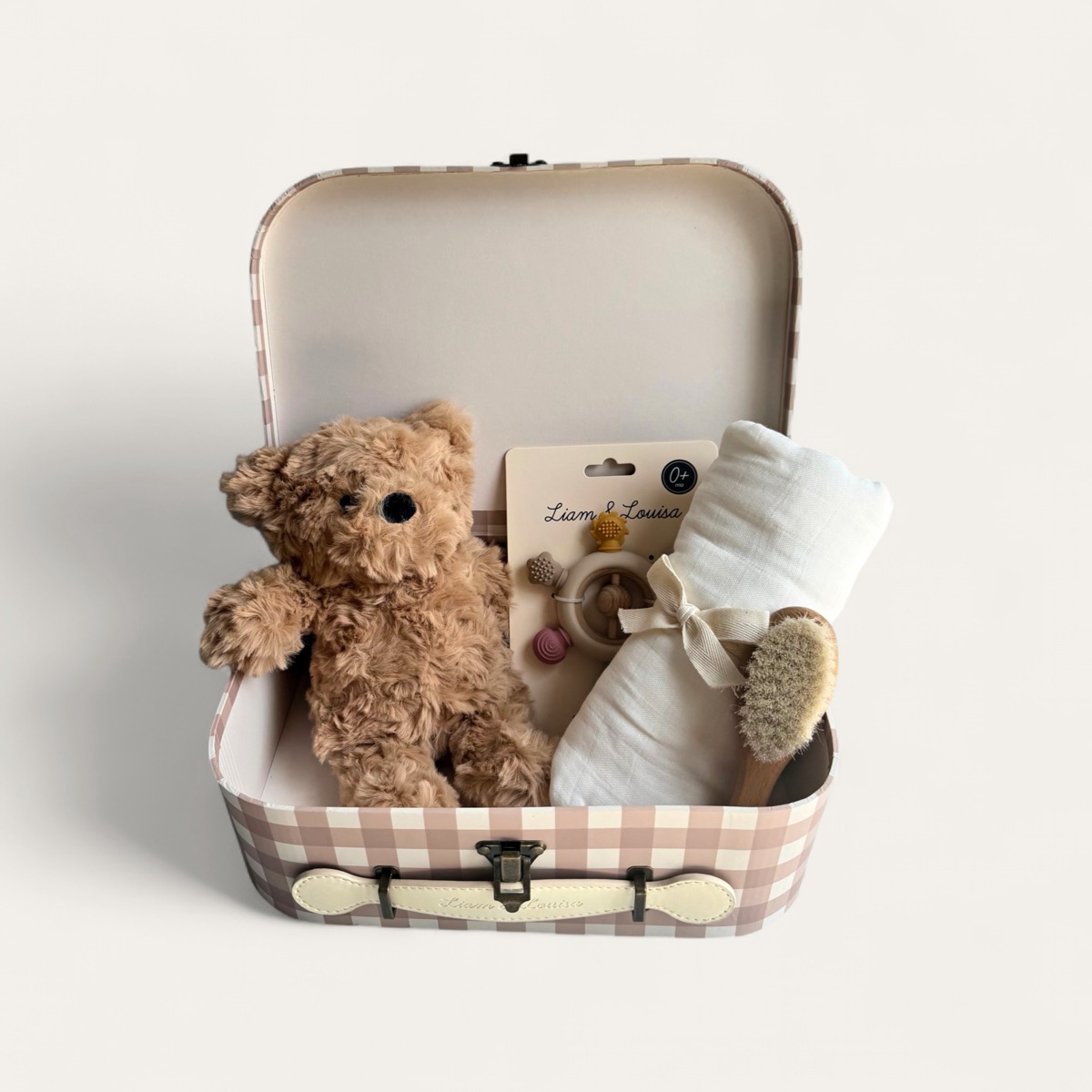
This is what the result looks like. The photo on the left came out of a phone; the one on the right was delivered by the system, untouched by anyone:
The pattern, in three pieces
1. A standard entry point. A shared folder (Google Drive, for example). The team has a single rule: unedited photos go there. Nobody learns a new tool; we all know how to drop files into a folder.
2. An engine that transforms. An automation platform (I use n8n) watches the folder. For every new photo, it uses the API of an artificial intelligence to edit the image, and saves the result in an output folder. The prompt is the same one you used in the chat; the difference is that now it runs on its own.
3. A human who approves before publishing. This is the part almost nobody selling automations tells you: no photo reaches the catalog without passing through human eyes. The AI produces; a person reviews and approves. Image generation errors are rare but real (a deformed product, a background that did not come out right, a detail that changed), and without this filter they go straight to your customers. Reviewing a photo takes seconds; editing it took minutes. That is why the system still pays off: the team’s job stopped being editing and became approving.
The numbers
The AI tool I use to edit the photos is Photoroom: 20 dollars buy 1,000 images processed through its API. Two cents per photo. (If you ask for more complex edits with generative AI, the plan goes up to 10 cents per image; still close to nothing.) Add the monthly fee of the automation platform (~25 dollars, which in my case is spread across many other automations). Compare that with the budget of a photo shoot and the weeks you wait to get the photos back.
Where NOT to use this pattern
For the photo in your homepage banner, the one that defines your brand: hire the photographer. This system shines at repetitive volume (variants, formats, clean backgrounds), not at art direction. I automate what already has defined criteria; what requires taste is still people’s work.
If you build one, the question that will save you the most money is not which tool to use. It is: how will I find out when it produces a bad photo? In my case the answer is simple: a person looks at every photo before it goes up. Start there.
Build it yourself
If you want to build your own version, this is the prompt to give Claude Code. Copy it as is and adjust what you need:
I want to build a system that edits my product photos on its own. This is how it should work:

1. I drop the unedited photos into a folder. Tell me whether a folder on my computer or one in Google Drive works better.

2. The system detects each new photo and edits it using the Photoroom API (I already have an account with credits): uniform white background, centered product, square format.

3. The result is saved into another folder called "To review". Nothing gets published on its own: I approve every photo before it goes up on my store.

Important: I do not know how to code. Explain every step in plain language, tell me what you need from me (accounts, permissions, keys) before starting, and build the system with me, step by step. At the end, show me how to test it with one real photo and tell me how I will find out if something fails.